Is the security problem fixed?
Findavi tests the original problem again. Does the old password fail? Is the attacking connection blocked? It records the evidence behind the answer.
THE PLATFORM
Findavi closes the path, then checks the device still does its job.
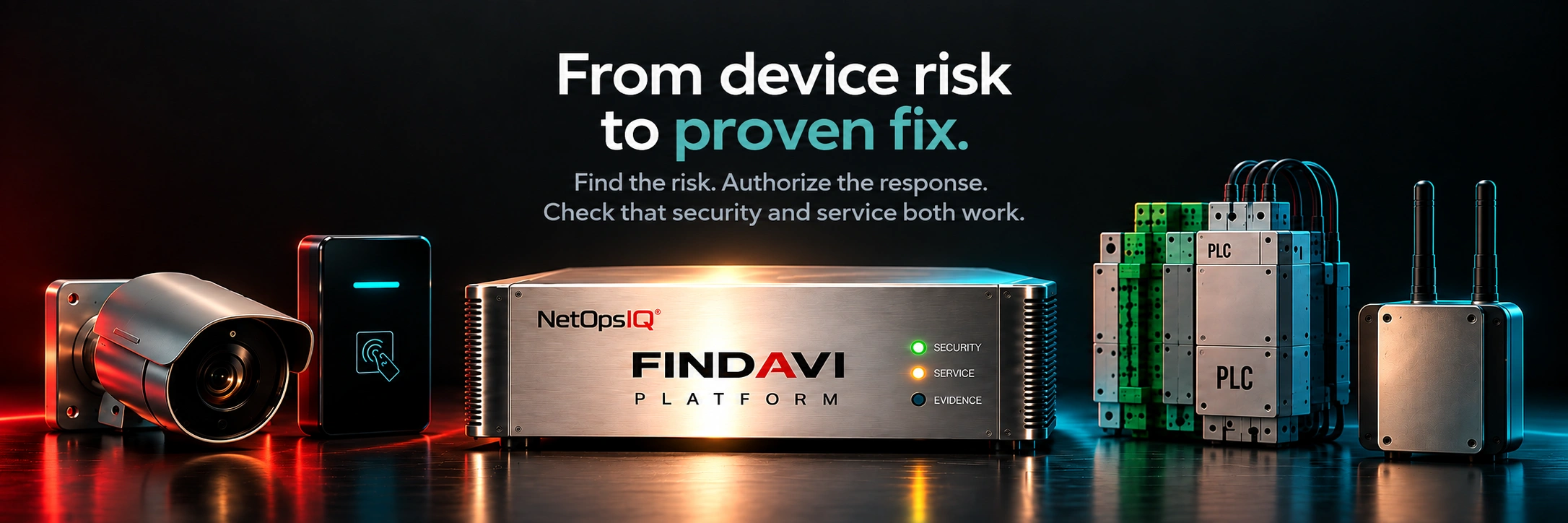
Findavi is autonomous detection and response for cameras, door readers, building systems and industrial controls. It finds the weak ones, stops the attack under your rules, and checks that the fix worked.
THE PROBLEM
Cameras, door readers, building systems, and industrial controls can carry default passwords and old software. IT manages the network. Facilities runs the equipment. Vendors maintain it. Fixing an exposed device can get stuck between them.
With AI, attackers can find an exposed device while your team is still looking for its owner. One weak device can open a path to other systems, or knock out the service it was installed to provide.
WHAT IT IS
Findavi runs on an on-site appliance. It finds device exposures and takes action under your team’s rules: block a device, isolate a port, or push a configuration change, for the device models and firmware we support at your site.
Findavi works on the connections and devices around your control systems. It doesn’t change control logic. Process control and safety decisions stay with your team.
After the action, it checks security and service separately and keeps the evidence together. Your team can see what changed, whether it worked, and what still needs attention.
THE DIFFERENCE IS IN THE RESULT
Findavi finds the problem, takes the action your team allows, and checks that it worked. You can approve specific actions in advance so it can respond at night or on weekends without waiting for someone to sign off each time.
Findavi tests the original problem again. Does the old password fail? Is the attacking connection blocked? It records the evidence behind the answer.
Findavi also checks that the device is doing its job. For a camera, that means checking that a new recording reaches the approved recorder. A camera can answer on the network and still fail to record.
The issue stays open until both checks pass.
ONE RESPONSE, STEP BY STEP
Example scenario, not a field-test result.
At 2:14 a.m., Findavi identifies an unexpected connection to a parking-garage camera. The camera needs to keep recording. Here is what happens next.
Only two passing checks close the issue. If recording cannot be verified, it stays open for follow-up.
FIELD RESULT · POWER-GENERATION FACILITY
During an authorized test at a power-generation facility, NetOps IQ recorded a blocked attacking connection and an available camera feed. The cameras kept recording throughout the test.
View the field resultResults cover the tested site and scope.
FINDAVI SUBSCRIPTIONS
Know what’s connected.
Device discovery and inventory.
Know which risks need attention.
Risk assessment and recommended actions.
Carry out approved fixes.
Discovery and supported automatic fixes.
Choose one subscription. Assessment excludes Discovery. Agent Fix excludes Assessment.
The one-time Blind Spot Assessment is a separate service. Its agreed scope can include an inventory of devices visible at the monitoring points.
Standard product support is included. Onboarding, premium support, and managed services are quoted separately.
Start with a scoping conversation. Work begins only after you approve.
THREE MODES
You don’t have to pick one mode for everything. Let Findavi handle selected low-risk fixes on its own while critical equipment, such as medical systems or plant controls, waits for a human sign-off.
Every action gets separate security and service checks, with the results and unfinished work recorded.
INSIDE YOUR ENVIRONMENT
Findavi runs on a dedicated appliance that we ship preloaded to your site, connected only to the parts of your network you approve.
Findavi's AI runs on the appliance itself. No outside AI. The network data it collects never leaves your site.
Your team stays in charge of your devices. Findavi never gets blanket access. You approve each type of work separately:
Approving one doesn't approve the others. You can start by letting Findavi only observe, and widen its permissions as your confidence grows.
WIRELESS & RF
Findavi connects to an RF switch to monitor RFID and wireless activity in range, alongside network traffic. Cellular devices are covered where they also connect to your network. It discovers devices, detects unexpected activity and carries out authorized responses. Security and service checks record the result of each action.
ONE RECORD TO REVIEW
Security, IT, facilities, and operations review the same finding and response. The record shows which device was involved, who owns it, what was approved, and what Findavi did. It includes the evidence from both checks. If work remains, the record shows the next step and who is responsible.
Your teams can review the same record. When an insurer, auditor, or board asks what changed, you can show the action, the results, and anything still unresolved.
See Example Records
EXAMPLE RESPONSE RECORD
Unresolved until both checks pass.
WHO IT'S FOR
COMMON QUESTIONS
Findavi runs on a dedicated appliance at your site. Before installation, we agree on where it connects, what it can access and which RF equipment is needed. Need a cloud option? Ask us.
No. Those tools show how an attacker could move through your IT network and cloud, and recommend what to fix. Findavi works on the devices that can't run security software: cameras, door readers, building systems and controllers. It listens on site, closes the risky path with your approval, and checks the service still works. Many teams use both.
Findavi follows your change rules and checks the affected service after each action. If the check fails or evidence is missing, the issue stays open for follow-up. A service check detects a problem; it cannot guarantee that a change will never cause an interruption.
No. Start in Observe mode, or require a person to approve each response. You choose the mode for each device and action.
Findavi works with cameras, access control, building systems, RF devices and industrial controls. During deployment planning, we confirm coverage and actions for your models, firmware and configuration.
Four ways. It catches passwords that devices still send in the clear. It reads the login data that many industrial protocols carry. It recognizes the make and model, and flags devices still likely on factory defaults. And when logins aren't encrypted, it can spot risky habits, like one password shared across 40 cameras. Listening finds the suspects. We only test a login with your permission.
The finding stays visible, with the evidence and the work still needed. Your team can plan the next step with the device owner or vendor.
Start with an assessment of one site. We review the devices, access, and priorities with your team, then agree on the work and the checks before it begins.
Findavi discovers devices, checks for security problems, monitors radio activity and carries out approved fixes. After each fix, it tests the security result and the device’s service separately. Before installation, we agree on the equipment, access and actions included at your site.
What Findavi can see depends on its network connection, placement and access. We check each device’s model, firmware and protocol when planning the installation.
| Capability | Details to check | Evidence to review |
|---|---|---|
| Discovery | Model, firmware, protocol, network visibility and permitted discovery method. | A device record with identification confidence and any missing information. |
| Assessment | The exposures that can be checked and the access those checks require. | The finding, supporting observations and limits of the assessment. |
| Response | The exact supported change, permissions, approval and recovery procedure. | A demonstration of the proposed action on a representative device. |
| Verification | The security retest and the service check, including any manual steps. | Separate results, timestamps and the owner of unfinished work. |
Plan appliance placement, permitted network connections and credentials during scoping. Passive discovery may use a mirrored network port; a device change requires the access appropriate to that specific action.
Review any discovery, detection or ticketing integration before relying on it. Agree how findings reach Findavi and how results reach your team. Include the integrator or service provider responsible for the devices.
Start with one site and see what needs attention.
Request an assessment